Quick answer
Write the assignment's main question at the top, choose a small number of facts or steps that answer it, and give each part a clear place. Keep handwriting space generous and check the teacher's rubric before decorating or printing.
Key ideas
- Let the assignment rubric decide what information must appear.
- Use headings and spacing to show the order in which a viewer should read.
- Test the layout at the final size with the materials students will use.
Translate the assignment into a short checklist
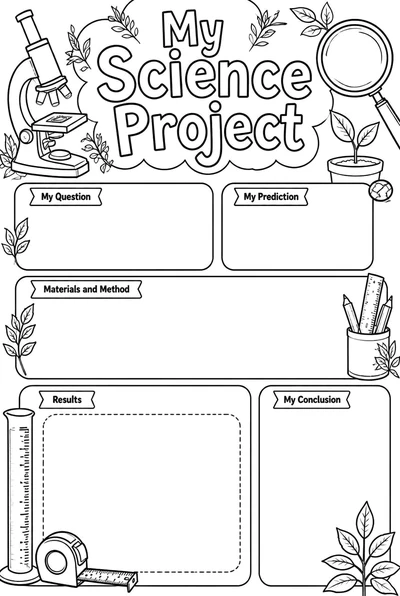
Before drawing boxes or choosing colors, underline the required parts of the assignment. A science display may need a question, method, observations, and conclusion; a book project may need a title, a recommendation, and supporting details. Use the teacher's rubric as the source of truth.
Turn each required part into a short heading. If a section cannot be named in a few words, decide what one idea the reader should get from it. A poster is easier to scan when every block has a clear job.
Give the page a reading order
Put the project title where a viewer can find it first, then arrange the remaining sections in the order that explains the work. Left-to-right columns or a simple top-to-bottom path are both workable; consistency matters more than a decorative layout.
Use size, position, and empty space to establish hierarchy. The main question can be larger than a note or source line. If every heading, picture, and border competes for attention, remove decoration before shrinking the important content.
Plan for words, drawings, and evidence
Decide where the student will write, where an image or diagram belongs, and where evidence will be shown. Leave enough room for handwriting at the size of the final poster. A tiny preprinted line can turn a clear plan into crowded work once a student starts writing.
Use visuals to explain or identify something, not just to fill every blank. A labeled drawing, chart, or map can make an idea easier to understand. Keep factual claims tied to sources the assignment allows, and follow instructions about citations.
Check the layout at the viewing distance
Print or sketch a small draft and step back to the distance where the poster will be viewed. Can someone read the title and find the main sections quickly? Then inspect the full-size version for writing room, margins, and places where text may be cut off.
For a hallway, use fewer words and larger headings than for a desk presentation. For a group poster, mark who contributes each section before students begin. These checks prevent last-minute crowding and help everyone see where their part fits.
Decorate after the content fits
Add borders, color, and illustrations only after the required information has a home. A small number of repeated colors can group related sections, while consistent heading styles help the eye move through the page. Decoration should make the content easier to follow.
Before printing a final copy, compare the poster with the assignment checklist and verify names, labels, and spelling. A template can offer structure, but the student's research, explanations, and choices should remain the center of the finished work.
Create a school poster
Start with a classroom poster layout, then add the student's own project content.