
Step-by-step guide
How to Turn a Photo into a Coloring Page
Turning a photo into a coloring page means keeping the shapes a child needs to recognise the subject and dropping everything else — shadow, texture, background clutter. By hand that means tracing outlines in an image editor. Here the same job takes about 50 seconds in your browser, with no account.
Turn your photo into a page3 free pages each day · no sign-up · no watermark


Turn a photo into a coloring page in three steps
- 1
Upload the photo
Pick a photo from your phone or computer — JPG, PNG and HEIC all work. One clear subject beats a group shot: a single pet, one face, one toy.
- 2
Choose a line style
Easy Coloring gives thick lines and big open areas. Tracing Practice keeps the original beside the outline. Classroom Poster leaves writing space under the drawing.
- 3
Download and print
Save a PDF sized for A4 and US Letter, or a PNG if you want to drop the line art into a worksheet. Neither carries a watermark.
Which photos make good coloring pages
A converter can only keep edges that exist in the photo. These four things decide almost everything about the result.
- Even, bright light. Flat daylight gives clean edges; harsh shadow gets read as a shape and becomes a stray outline.
- One clear subject. A single pet, person or object fills the page. Group photos shrink every face until the lines run together.
- A simple background. A lawn or plain wall drops away cleanly. A busy room adds outlines a child has no reason to color.
- Space around the edges. If the subject is cropped tight, the page loses the outer contour that holds the drawing together.
Match the style to the child
The same photo can become three different pages. Age is the easiest way to choose.
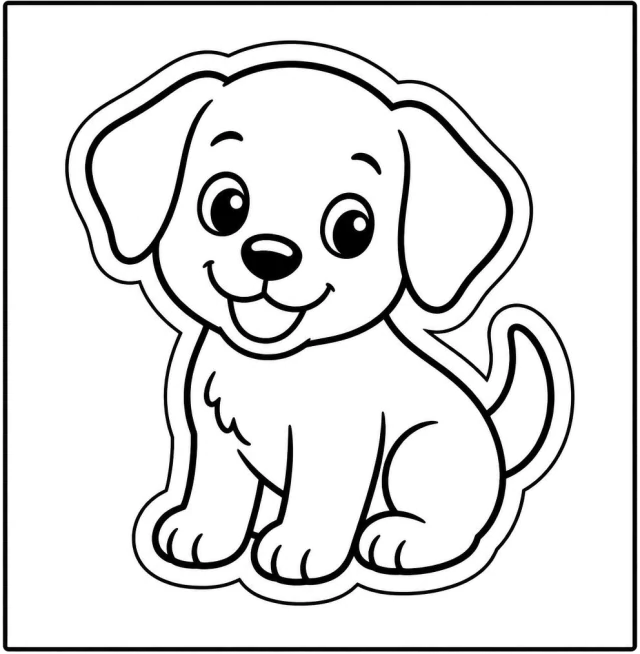
Easy Coloring (age 5–7)
Thick outlines, few interior details and large closed areas, so crayons stay inside the lines and a page can be finished in one sitting.

Tracing Practice
The photo and the outline sit side by side with lighter guide lines to follow — aimed at pencil control rather than color.

Classroom Poster
The subject sits high on the page with ruled writing space underneath — built for a name, a label or a sentence about the picture.
Printing it so it colors well
A coloring page lives or dies at the printer. Four settings matter.
- Print the PDF rather than the PNG. The PDF is already laid out for A4 and US Letter with a safe margin, so no line lands in the unprintable edge.
- Use plain paper around 90–120 gsm. Thin copier paper buckles under marker; heavy card resists crayon wax.
- Switch off “fit to page” if your printer shrinks by default — it can pull the outer lines inside the margin and thin them.
- Print in black and white. Color mode can give grey line art a faint tint that shows through light crayon.
Doing it by hand instead
You can get a similar result in an image editor: desaturate, raise contrast, apply an edge-detect or “find edges” filter, then clean up the speckle by hand. It works and it gives you full control, but expect a careful pass per photo — edge filters keep texture that a child reads as noise, so hair, grass and fabric usually need erasing.
Common questions
Is it free to turn a photo into a coloring page?
Yes. You can make three free pages each day without an account, and download PDF or PNG files with no watermark.
Do I need to sign up or install anything?
No. It runs in the browser on phones, tablets and computers — there is no account to create and nothing to install.
How fast is it?
About 50 seconds from upload to a page you can print. Most of that is generating the line art.
What happens to the photo I upload?
It is used to make your coloring pages. We never sell it, publish it or use it to train models, and you can ask us to remove it at any time — see our Privacy Policy.
How do I turn a photo into a color-by-number page?
Make the page first, then add numbers to it. Pick Easy Coloring so the outlines come out solid and the shapes stay large — the numbers need a closed area with room to sit in. Each numbered area gets a colour from a printed key, so the page still prints in black and white.